
Hello, can you share the download link? Diagbox 9.179Bogdan652 wrote: 22 Sep 2024, 15:35 I managed to install the official version 9.179. It connects to all services, after scanning the car I try to see the errors and it does nothing. I have purchased token/chip and I expect that after scanning the car when I want to see the errors and eventually update the modules it will ask me if I am using the purchased token/chip, but it won't even let me see the errors.
How/when does it ask me to use the token/ token purchased.
I appreciate any help.
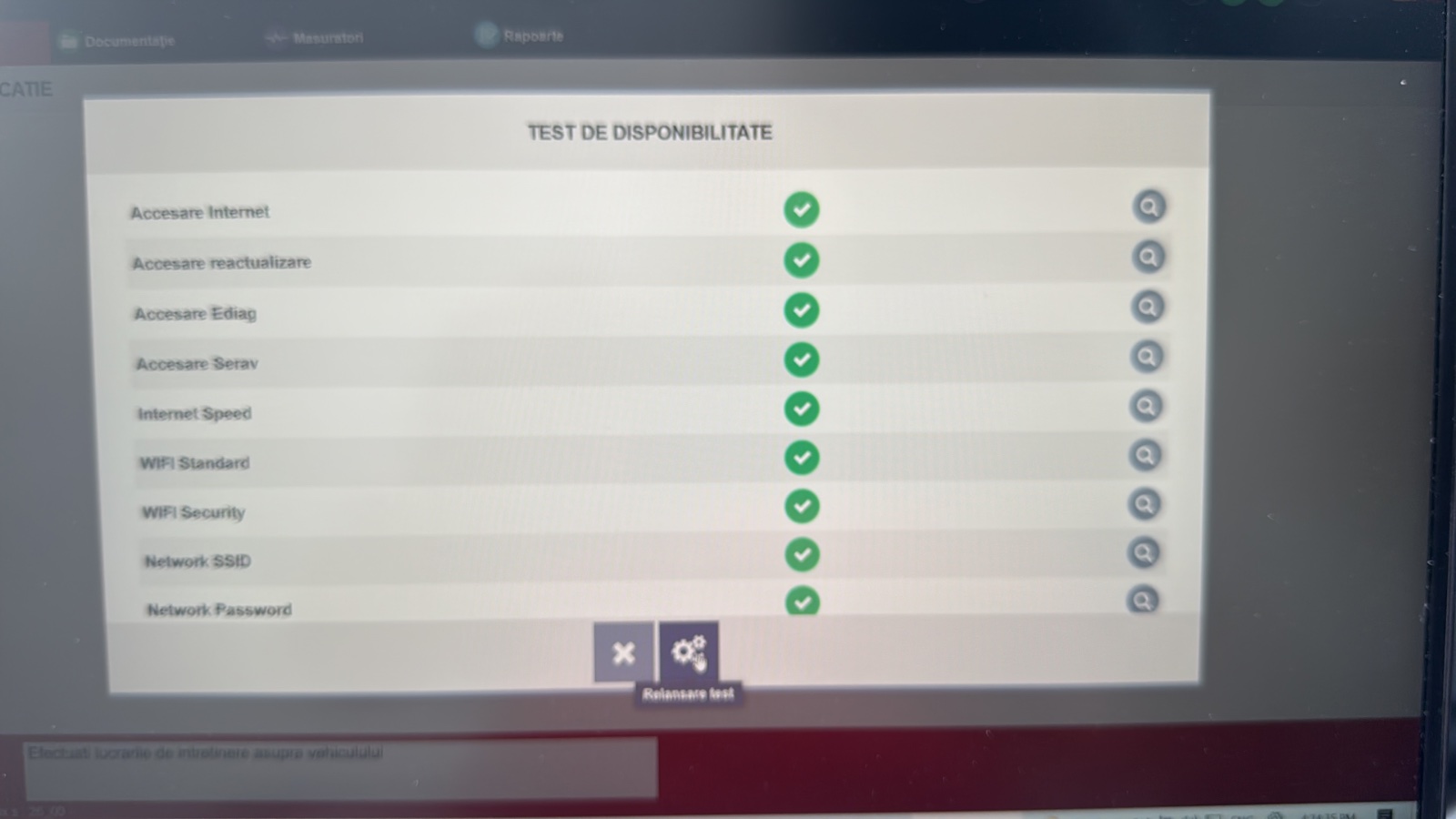
Original Diagbox with token login issue (explained)
-
Faroza
- Posts: 3
- Joined: 05 Sep 2024, 21:30
Re: Original Diagbox with token login issue (explained)
-
Bogdan652
- Posts: 11
- Joined: 21 Sep 2024, 23:25
- x 1
-
jweber018
- New User
- Posts: 1
- Joined: 02 Oct 2024, 15:58
Re: Original Diagbox with token login issue (explained)
Hey, I'm trying to accomplish the same as you but with newer versions of diagbox I either get an authentication error when I try to login (no matter what I input, on versions 09.200 and 09.202) or the repair, diagnose, delivery and etc buttons don't work (any older version I have tried starting from 09.183 which is the earliest one servicebox provides. Do you guys have the installer for official, unmodified Diagbox, but version 09.146 or 09.168?
-
Djandree
- (Donor 2025)
- Posts: 200
- Joined: 17 Oct 2019, 00:10
- x 38
Re: Original Diagbox with token login issue (explained)
Hello
If you activate your Diagbox and login into it (AN _ _ _ + password), you can now use your purchased token for required brand. If you for example bought a token for DS that you have to choose ds brand, log in and tada). If you didn't log in (or bought token for different brand) you can still scan every PSA brand cars. It will show you the fault codes but you can not delete them. if you can't even scan it that means that there is a problem with connection/ or log in details. Mind though that .exe files must be downloaded straight from PSA site. Other might not work properly. Apparently for a full support it is recommended (by PSA) to have win11
If you activate your Diagbox and login into it (AN _ _ _ + password), you can now use your purchased token for required brand. If you for example bought a token for DS that you have to choose ds brand, log in and tada). If you didn't log in (or bought token for different brand) you can still scan every PSA brand cars. It will show you the fault codes but you can not delete them. if you can't even scan it that means that there is a problem with connection/ or log in details. Mind though that .exe files must be downloaded straight from PSA site. Other might not work properly. Apparently for a full support it is recommended (by PSA) to have win11
-
Djandree
- (Donor 2025)
- Posts: 200
- Joined: 17 Oct 2019, 00:10
- x 38
Re: Original Diagbox with token login issue (explained)
This is an latest official link for unmodified Diagbox https://public.servicebox-parts.com/dia ... OI_EXE.exe
After first install you have to update to required version (older versions are deleted from the site) I am gonna check maybe I got old install somewhere.
After first install you have to update to required version (older versions are deleted from the site) I am gonna check maybe I got old install somewhere.
-
Djandree
- (Donor 2025)
- Posts: 200
- Joined: 17 Oct 2019, 00:10
- x 38
Re: Original Diagbox with token login issue (explained)
Going back to the previous posts Givemeabreak is right. Before you will try to update any ECU (I did it on mine) just take a screenshot of every setting you got on each ECU. Later on (especially on BSI) you need to ask for a code to do any changes. Painful process as you have to wait for couple days to get one. Please do not refresh or hit back, as code on Diagbox will change and you have to apply for a new one again. In my experience this work: just shutting off laptop (sleep mode) disconnecting from the car and wait for a code to arrive. Later on connecting to the car, ignition on waking up and you are the same place where I left of.
-
richardmayer
- Posts: 13
- Joined: 26 Oct 2024, 07:09
- x 5
Re: Original Diagbox with token login issue (explained)
Hello,
I'm getting crazy with the DiagBox Login-Problems many people are also having here.
With old versions, there is no login Error-Message, but the Icons of the Main-Menu after Scan do not work (e.g. Repair).
With the latest versions, I'm getting "Identifier Incorrect", no matter what I try.
Login in Service-Box on the Website with the Same Username ans Password is possible without problems.Activation of DiagBox with the Dealer-ID also works.
Has anybody with "Identifier Incorrect" Problem succeeded to find the reason for the problem?
DiagBox Support seems to be of no help either - they stopped responding.
I purchased a Token for the RT6 Calibration in my C5 X7, which I cannot use now.
I tried reinstalling, different Notebook, Clean VM Installation => no success.
Best Regards
Richard
I'm getting crazy with the DiagBox Login-Problems many people are also having here.
With old versions, there is no login Error-Message, but the Icons of the Main-Menu after Scan do not work (e.g. Repair).
With the latest versions, I'm getting "Identifier Incorrect", no matter what I try.
Login in Service-Box on the Website with the Same Username ans Password is possible without problems.Activation of DiagBox with the Dealer-ID also works.
Has anybody with "Identifier Incorrect" Problem succeeded to find the reason for the problem?
DiagBox Support seems to be of no help either - they stopped responding.
I purchased a Token for the RT6 Calibration in my C5 X7, which I cannot use now.
I tried reinstalling, different Notebook, Clean VM Installation => no success.
Best Regards
Richard
-
GiveMeABreak

- (Donor 2016)
- Posts: 41989
- Joined: 15 Sep 2015, 19:38
- x 6945
Re: Original Diagbox with token login issue (explained)
Sounds like a right hassle and to be honest I'd just ask the dealer to apply the bluetooth calibration file at your next service - I'm sure they wouldn't charge if you had it done at the same time - should only take a few minutes.
Please note, I'm no longer active on the Forum, so won't respond to messages.
Marc
Marc
-
richardmayer
- Posts: 13
- Joined: 26 Oct 2024, 07:09
- x 5
Re: Original Diagbox with token login issue (explained)
Yes, thanks for the reply.
I guess, I'll have to visit da dealer eventually.
But I can't believe how buggy this software-suite is.
If I was an independent repair shop, servicing those PSA-Cars would be a real pain in the ...
So if anybody has any hints, I'd be happy to check on my installation.
Especially to make use of the spare "Token" sitting in my account.
Best Regards
Richard Mayer
I guess, I'll have to visit da dealer eventually.
But I can't believe how buggy this software-suite is.
If I was an independent repair shop, servicing those PSA-Cars would be a real pain in the ...
So if anybody has any hints, I'd be happy to check on my installation.
Especially to make use of the spare "Token" sitting in my account.
Best Regards
Richard Mayer
-
GiveMeABreak
- (Donor 2016)
- Posts: 41989
- Joined: 15 Sep 2015, 19:38
- x 6945
Re: Original Diagbox with token login issue (explained)
The dealer used to have the bluetooth calibration file on USB that they could order and apply locally, but I think it's all done online now, but the RT6 ECU goes into secure mode and can't normally be configured without a valid login - so there may be some issues around why you can't do this yourself.
Normally if one keeps the unit firmware up to date (not easy if the car has been owned by somebody else), the incremental updates usually go on without problem and you can always take a backup of your user data, but the issues are if the unit has failed without a backup so you can no longer see the screen output, then there's little you can do except put a new card in and install the OS and hope it doesn't reset to factory defaults.
Normally if one keeps the unit firmware up to date (not easy if the car has been owned by somebody else), the incremental updates usually go on without problem and you can always take a backup of your user data, but the issues are if the unit has failed without a backup so you can no longer see the screen output, then there's little you can do except put a new card in and install the OS and hope it doesn't reset to factory defaults.
Please note, I'm no longer active on the Forum, so won't respond to messages.
Marc
Marc
-
richardmayer
- Posts: 13
- Joined: 26 Oct 2024, 07:09
- x 5
Re: Original Diagbox with token login issue (explained)
Hello,
I got the 2013 C5 from my dad who (I‘m sure) never touched the Firmware. When I got the car, I prepared everything for the 2.86B Update, just to see, that 2.86B was already installed.
But as I have the „echo Problem“ with the Handsfree now, I guess that the Dealer who must have done the Update, didn‘t do the calibration.
So I did some stuff myself (update the Maps, replace the Camera from a 2017 C5, replace the SD-Cards for a bigger/faster one), but I guess the calibration will have to be done externally. I tried eliminate the echo by changing a lot of Values via Mirascript with a french Tutorial. The Echo was gone - but the Microphone Quality still not very good when going faster than 30 Miles. So I‘m counting on the calibration to get besser Hands-Free quality…
Richard
I got the 2013 C5 from my dad who (I‘m sure) never touched the Firmware. When I got the car, I prepared everything for the 2.86B Update, just to see, that 2.86B was already installed.
But as I have the „echo Problem“ with the Handsfree now, I guess that the Dealer who must have done the Update, didn‘t do the calibration.
So I did some stuff myself (update the Maps, replace the Camera from a 2017 C5, replace the SD-Cards for a bigger/faster one), but I guess the calibration will have to be done externally. I tried eliminate the echo by changing a lot of Values via Mirascript with a french Tutorial. The Echo was gone - but the Microphone Quality still not very good when going faster than 30 Miles. So I‘m counting on the calibration to get besser Hands-Free quality…
Richard
-
rauli7
- Posts: 1
- Joined: 08 Jan 2025, 19:09
Re: Original Diagbox with token login issue (explained)
Hi!Djandree wrote: 06 Jul 2024, 22:25 Hello
Recently I spent 2 weeks trying to sort it out Original Diagbox issue with login. Cut the long story short (all started on 16th June 2024)
There is a link to original Diagbox from PSA
https://public.servicebox-parts.com/dia ... ndent).exe
Please skip update to version v9.149 (last working and tested by me with access to Serav and Ediag). I did try to update up to ver. v192 but this update is not working with Serav and Ediag servers. (lengthy emails and even phone call from PSA IT support ended up with no more answer from them after they deleted my norton360 antivirus and left me in the bushes) Have to work out all by myself. Even received a script showing what should work to have a connection with PSA servers but option 3 didn't work at all - had an access anyway.
First you have to activate diagbox to work with token (using X_ _ _ _ from your PSA account) then fill out forms address etc, then change language and language in emergency for English and restart Diagbox for changes to take effect. Then login into desired brand (AN _ _ _ + password for https://public.servicebox-parts.com), and at the end click F12 to do a connection test
Now you are ready to do some scanning etc.
I hope this tutorial will help
Can you please upload official DiagBox 09.146 setup file?
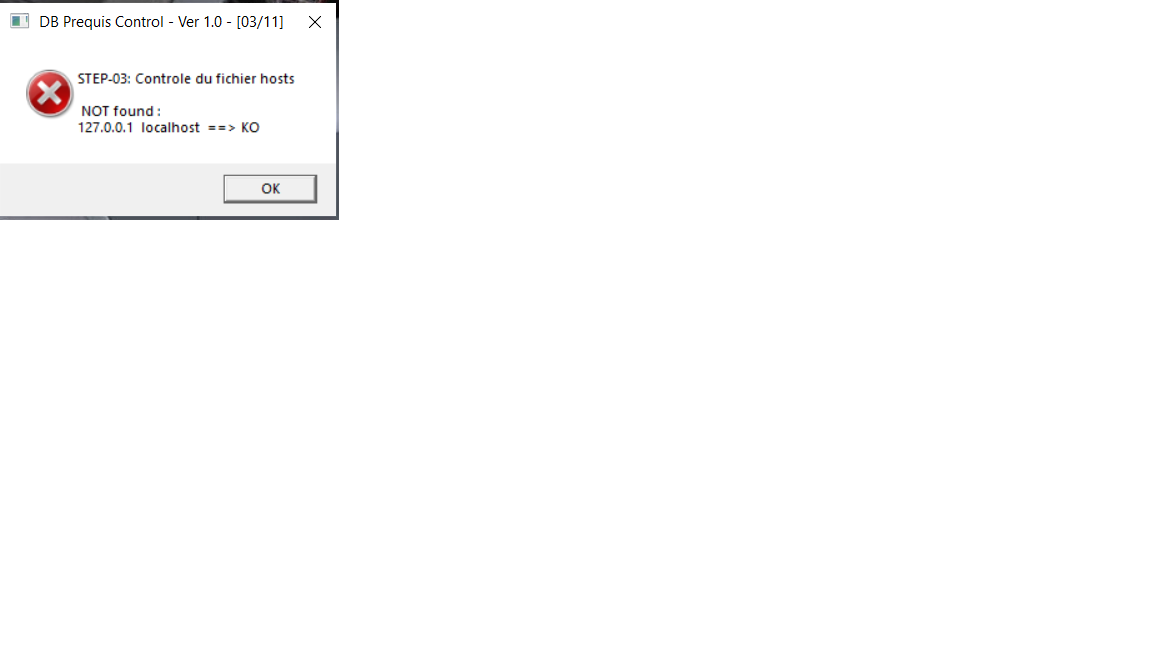
I have tried 09.183 to 09.232 from PSA but still Ediag access is showing error (screenshot). I have a token but don't want to use it before everything is 'green'.
I tried the 'Prerequis_Offre Liberty' you uploaded. There where many errors but these 3 sites (screenshot) should maybe all be 'ok' and that's why ediag isn't working?
I have emailed PSA IT support but I don't know when or if they answer me.
I have high hopes if i could try installing 09.146 or even older version 09.85+ because I have 2019 508
- Attachments
-
-
-
Manorprestige
- New User
- Posts: 1
- Joined: 09 Apr 2026, 02:44
Re: Original Diagbox with token login issue (explained)
Hi I’m trying to download diagbox what’s the process as I tried to go to the public psa but my registration keeps failing any tips?!
Also a link for official diagbox would be great as this is very confusing many thanks!
Also a link for official diagbox would be great as this is very confusing many thanks!