How to Replace the Internal MicroSD Card - RT6

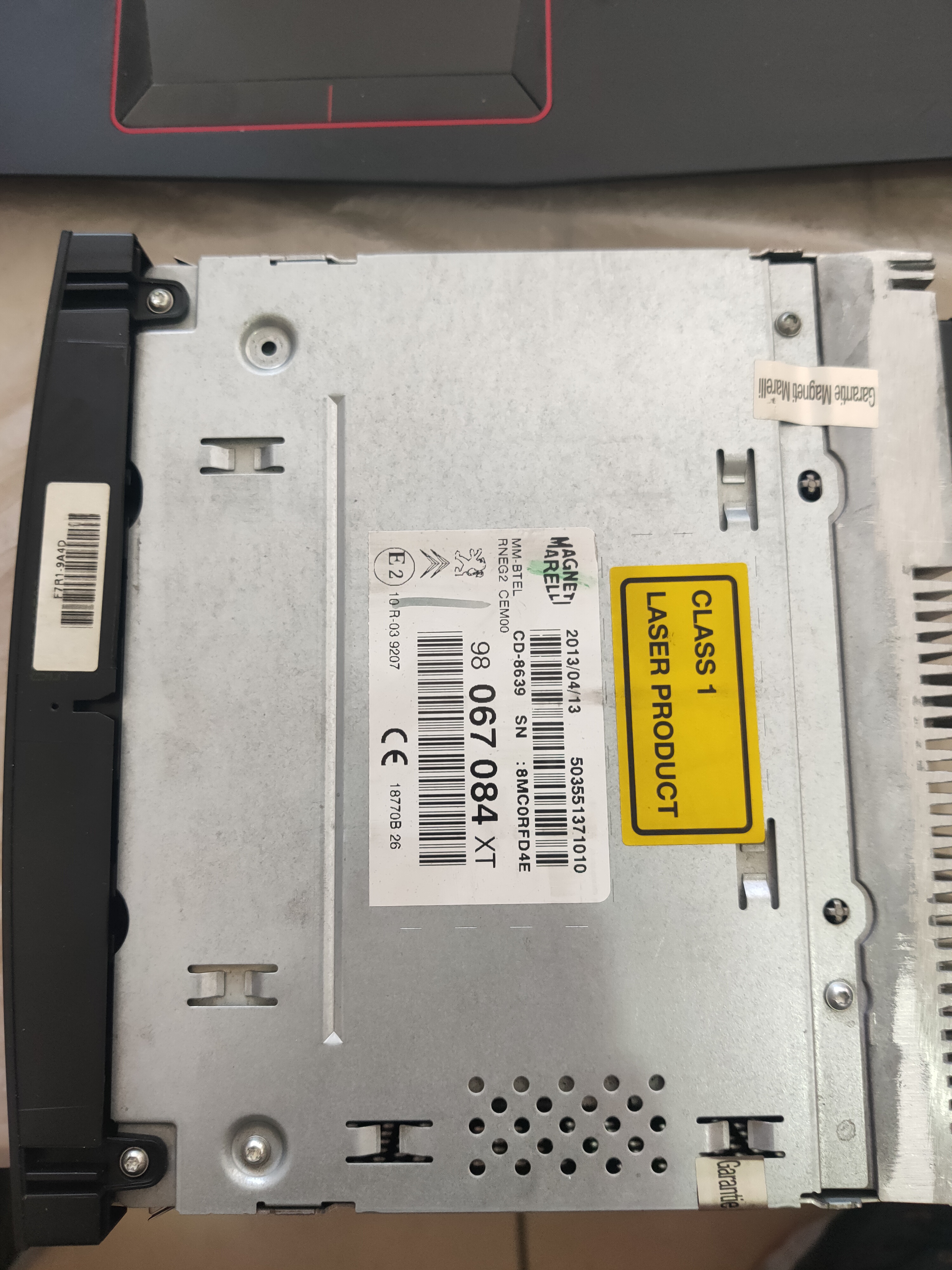
This unit is the eMyWay system, also referred to as RT6, RNEG2, or WIPNAV+ for the Peugeot platform and made by Magneti Marelli.
Main Features: The eMyWay colour satellite navigation has high resolution mapping, Bluetooth Telephone & Audio Streaming supported profiles, USB support for Media files & CD
Henriksen
Posts: 5
Joined: 18 Jun 2024, 18:10

Re: How to Replace the Internal MicroSD Card - RT6

Unread post by Henriksen »

GiveMeABreak wrote: 19 Jun 2024, 09:03 Just tell them they need to treat it as if they were installing the RT6 from new, and undertake the installation in connected diagnostics mode. If they check their technical bulletins under the Audio and telematics section of Servicebox, they will see various tech bulletins for various problems that mention bluetooth calibration and some other interventions that need to be undertaken. Finding a dealer with experience of this is the other issue as they don't fix these units now, they just replace them!
So I went to the workshop today and they tried to connect to the RT6 trough diagbox and PSA server but they couldn’t connect to my unit.
So they told me that I need a new unit or used unit.
I refuse to accept that… but maybe I need to.
I was wondering if it might help to upload and older version of the software? Suspect my version was the 2.20 before I upgraded it to the 2.86 directly.
Any advice??
Henriksen
Posts: 5
Joined: 18 Jun 2024, 18:10

Re: How to Replace the Internal MicroSD Card - RT6

Unread post by Henriksen »

I can also try a new sd cars and start over..
User avatar
GiveMeABreak
(Donor 2016)
Posts: 41989
Joined: 15 Sep 2015, 19:38
x 6957

Re: How to Replace the Internal MicroSD Card - RT6

Unread post by GiveMeABreak »

1) You cannot downgrade firmware to an earlier version. If you have installed V2.86 from V2.20, you have probably suffered with the issue I described in my previous post. It will need dealer intervention as it goes into secure mode and cannot be reset with Diagbox unless in connected mode. However, the fact that they cannot connect to the RT6 tells me it is already too late if the MicroSD card is already corrupt (can memory cells can no longer be written to).

2) So at this stage, you have nothing to lose by using the guide and replacing your MicroSD card, then using the firmware to partition and install the operating system for you.

When you previously upgraded the firmware to V2.86, did the firmware update complete correctly, or did it fail? I'm trying to understand whether you need the 2.21 upgrade or the 2.86. I would try the 2.21 version and see how that goes first.

The worst that can happen is that you still need a replacement unit.
Please note, I'm no longer active on the Forum, so won't respond to messages.

Marc
Henriksen
Posts: 5
Joined: 18 Jun 2024, 18:10

Re: How to Replace the Internal MicroSD Card - RT6

Unread post by Henriksen »

The firmware did upload correctly. My car is from 2011 and the previous owner did not upgrade any software by himself so if it was upgraded it had to be through service.

I will check the fuses first as that came to me today. There are 3 fuses for the audio I think.
Maybe one of them are gone since it says radio off and zone not mapped in the dash.

If non are broken I will try to install a new SD card with the 2.21 that you posted earlier.
User avatar
GiveMeABreak
(Donor 2016)
Posts: 41989
Joined: 15 Sep 2015, 19:38
x 6957

Re: How to Replace the Internal MicroSD Card - RT6

Unread post by GiveMeABreak »

It won't be Fuses - if it was a fuse you'd have no Head unit power at all.

If you are saying the Firmware 2.86 was updated properly, then you can't use 2.21 as it's already been applied and upgraded, so the internals of the unit inside are also additionally updated.
Please note, I'm no longer active on the Forum, so won't respond to messages.

Marc
TIG
Posts: 3
Joined: 08 Jul 2024, 16:37

Re: How to Replace the Internal MicroSD Card - RT6

Unread post by TIG »

GiveMeABreak wrote: 08 Jul 2024, 22:59 Good Luck.
got my SD card today. I was wondering would I be better off trying to clone my original card "keep the original firmware" I know this doesn't always work but I can hope to be lucky. I konw its not copy and paste but I'm sure I can find instructions to follow.
I don't really care about firmware version as I only Bluetooth my phone for music and google maps its better than the built in gps and that all worked fine before the unit started to play up.
User avatar
GiveMeABreak
(Donor 2016)
Posts: 41989
Joined: 15 Sep 2015, 19:38
x 6957

Re: How to Replace the Internal MicroSD Card - RT6

Unread post by GiveMeABreak »

It's not that simple. If you already have a damaged or corrupt SD card, then you are likely to be copying corrupt data over to the new card. You can try, but there's no guarantee.

As for the firmware - functionality that you use is irrelevant - the firmware also updates the Head Unit's other internal systems, so you can't downgrade or mix firmware. Either keep what is already installed (we know you can't do this as this was a factory only version and not released, so unlikely you will be able to get this anywhere - so the dealer can't supply), that leaves version 2.21 - which is the 'safest' version you can go to without further intervention - and assuming there is nothing else wrong with the unit of course.
Please note, I'm no longer active on the Forum, so won't respond to messages.

Marc
mustafakulakli
Posts: 3
Joined: 21 Jul 2024, 23:19

Re: How to Replace the Internal MicroSD Card - RT6

Unread post by mustafakulakli »

Hello;
Thank you for what you explained here and for your dedication.
My tape SD card is corrupted. I did everything they said, but I got the "error during flasher loading" error.
-I inserted the SD card directly
-2.86 I tried to install from CD and from USB and got the same error.
I tried many different ways but still got the same error. I'm pretty sure I didn't leave the windows files, because it's a new SD card and one that's never been used.
Image
In my research, I estimate that the stereo version of my car model, Peugeot partner hill 2013, will be 2.70 or 2.75. I accessed a few files from the 8GB memory card I took out, and when I opened the files with the inf extension, I saw writings saying 2.70 and 2.75. These may probably be factory supplied.
I ask you to help me, I want to try the 2.70 and 2.75 versions. I would be very happy if you could help me find these versions.
Thank you
mustafakulakli
Posts: 3
Joined: 21 Jul 2024, 23:19

Re: How to Replace the Internal MicroSD Card - RT6

Unread post by mustafakulakli »

Thanks to GiveMeABreak's explanations here, I have made great progress.
I installed version 2.86 from USB. and yes, it works.
The only problem is that it is in Russian and there is no map. I hope I can solve that too.
Thank you GiveMeABreak
User avatar
GiveMeABreak
(Donor 2016)
Posts: 41989
Joined: 15 Sep 2015, 19:38
x 6957

Re: How to Replace the Internal MicroSD Card - RT6

Unread post by GiveMeABreak »

You will have to reinstall your maps. Also, if you managed to backup your user data files before the upgrade, restoring these should restore the settings - however, some units will require a dealership server configuration to restore your factory equipment and options if this does not work.
Please note, I'm no longer active on the Forum, so won't respond to messages.

Marc
mustafakulakli
Posts: 3
Joined: 21 Jul 2024, 23:19

Re: How to Replace the Internal MicroSD Card - RT6

Unread post by mustafakulakli »

For now I will try to load the map. I only have the old memory card and the data on it. The old one could not be backed up because it was damaged. The old memory card works on the computer. I don't know if I can do it with what I have. But I will investigate what you wrote. The service is a bit problematic here, they want to remove it and install a new one. The service is a money trap.
Thank you again so much for your help Marc.
rich2222
Posts: 9
Joined: 29 Jul 2024, 13:13
x 1

Re: How to Replace the Internal MicroSD Card - RT6

Unread post by rich2222 »

Hi All!

Just been given an RT6 that won't boot from a Citroen C3 I think.

Happy to replace the micro SD card (internal) with unformatted 8gb card and stick a V2.86 firmware CD in to see if it recovers.

Is this still the recommended route to start with?

I understand it will need to go to the dealer for setup after as I don't have any compatible diag tools.
Last edited by rich2222 on 29 Jul 2024, 13:19, edited 1 time in total.
User avatar
GiveMeABreak
(Donor 2016)
Posts: 41989
Joined: 15 Sep 2015, 19:38
x 6957

Re: How to Replace the Internal MicroSD Card - RT6

Unread post by GiveMeABreak »

There's no guarantee - especially if the unit has internal faults, but I would suggest nothing to loose at this stage.
Please note, I'm no longer active on the Forum, so won't respond to messages.

Marc
rich2222
Posts: 9
Joined: 29 Jul 2024, 13:13
x 1

Re: How to Replace the Internal MicroSD Card - RT6

Unread post by rich2222 »

GiveMeABreak wrote: 29 Jul 2024, 13:23 There's no guarantee - especially if the unit has internal faults, but I would suggest nothing to loose at this stage.
Yeah, my thoughts exactly. I'm assuming as the unit wont boot, there's no point in plugging in the USB drive and trying to copy the config onto it.

I'm just waiting to for the CD now...
rich2222
Posts: 9
Joined: 29 Jul 2024, 13:13
x 1

Re: How to Replace the Internal MicroSD Card - RT6

Unread post by rich2222 »

GiveMeABreak wrote: 29 Jul 2024, 13:23 There's no guarantee - especially if the unit has internal faults, but I would suggest nothing to loose at this stage.
I just tried to recover the RT6 (blank screen, CD operates every 15 seconds even with ignition off, I assume looking for boot disc).

I put a new 8gb sd card in the RT6. Then used a USB drive with the extractd 2.86 disk image in the root. (5 folders, 2 .inf files and a .sym file).

I could see drive activity on the USB stick and that lasts for 6 and a half mins, then the unit re-boots (CD runs) but still no display and then the process repeats.

I've left it for over half an hour doing this but still no change.

Any other ideas? Do I have to use a CD-rom disc, even though the USB drive is showing activity? Should I just have the .iso file be on the root of the USB drive?

Any suggestions most welcome!
Last edited by rich2222 on 02 Aug 2024, 15:08, edited 1 time in total.