
I find Windows 10 quite OK and I'm generally allergic to IT in all its forms.
Windows 10 is nearly as good as Ubuntu Linux now...
[CLOSED] OT : Any Windows MCSEs out there?
-
CitroJim

- A very naughty boy
- Posts: 55100
- Joined: 30 Apr 2005, 23:33
- x 8398
Re: OT : Any Windows MCSEs out there?
Jim
A bit of a Citroen AX fan...
A bit of a Citroen AX fan...
-
GiveMeABreak

- (Donor 2016)
- Posts: 41989
- Joined: 15 Sep 2015, 19:38
- x 6945
Re: OT : Any Windows MCSEs out there?
Yes, the earlier builds of 10 had a few issues - but has now 'stabilised' and is pretty much ok for everything. I still have Win 7 Ultimate for my Lexia Laptop and a Dual Boot system on my Desktop for Win 10 64 Bit and Win 7 32 for compatibility with some earlier software that won't run in 10. Once they gave you the option to get rid of the metro tiles (I hated those), it was pretty much plain sailing. 
Please note, I'm no longer active on the Forum, so won't respond to messages.
Marc
Marc
-
CitroJim
- A very naughty boy
- Posts: 55100
- Joined: 30 Apr 2005, 23:33
- x 8398
Re: OT : Any Windows MCSEs out there?
Metro Tiles work well on my Windows phone but agreed, they are not good on a desktop or laptop...
Jim
A bit of a Citroen AX fan...
A bit of a Citroen AX fan...
-
superloopy
- Posts: 3344
- Joined: 30 Mar 2005, 03:25
- x 19
Re: OT : Any Windows MCSEs out there?
Not for me guys. Its back to 7.
Sent from my LG-D855 using Tapatalk
Sent from my LG-D855 using Tapatalk
Mike
Xantia Activa Dante Red MK1 (96) 121k - SORN, to be broken
Xantia Activa Silex Grey MK2 (98) 120k -SORN, ditto
Xantia V6 Silex Grey MK2 (98) 95k - non-runner
Xantia TD Storm Grey MK1 (95) 95k - non-runner
Xantia Activa Dante Red MK1 (96) 121k - SORN, to be broken
Xantia Activa Silex Grey MK2 (98) 120k -SORN, ditto
Xantia V6 Silex Grey MK2 (98) 95k - non-runner
Xantia TD Storm Grey MK1 (95) 95k - non-runner
-
Harlequin
- (Donor 2023)
- Posts: 915
- Joined: 11 Jan 2006, 21:11
- x 23
Re: OT : Any Windows MCSEs out there?
don't know why the complaints over win10 being nosey - your smartphone already sends back everything it can about you anyway
Simon
-
BenC5HDi
- Not Mike
- Posts: 588
- Joined: 30 Nov 2015, 20:21
- x 45
Re: OT : Any Windows MCSEs out there?
Smartphones do of course. The only way to prevent it is to tell it and other connected apps and devices nothing at all that is true, as I do. Sure, it knows my name and where I am (if I let it) but any other personal info it's asked for has always been total rubbish.
Sent from my SM-N9005 using Tapatalk
Sent from my SM-N9005 using Tapatalk
-
GiveMeABreak
- (Donor 2016)
- Posts: 41989
- Joined: 15 Sep 2015, 19:38
- x 6945
Re: OT : Any Windows MCSEs out there?
On my iPhone 6 Plus there is a lot of ways to limit info that apps have about you and of course the Privacy settings and Diagnostic info reports that you can all turn off. But interestingly, I happened to be editing a photo that I copied from my iPhone in Photoshop and I was quite surprised to see on the info about the photo all sorts of info about the device it was taken on , the resolution etc, ISO speed, whether the flash fired, shutter speed Make of phone and model etc! - but no geo-location data I'm pleased to say as I disabled specific Location Data. I don't really want to be walking past a MacDonalds with my iPhone going off sending me pictures of juicy burgers! 
Please note, I'm no longer active on the Forum, so won't respond to messages.
Marc
Marc
-
superloopy
- Posts: 3344
- Joined: 30 Mar 2005, 03:25
- x 19
Re: OT : Any Windows MCSEs out there?
Same here.BenC5HDi wrote:Smartphones do of course. The only way to prevent it is to tell it and other connected apps and devices nothing at all that is true, as I do. Sure, it knows my name and where I am (if I let it) but any other personal info it's asked for has always been total rubbish.
Sent from my SM-N9005 using Tapatalk
Anyways ... an update.
Just ended a remote session with MS, she (Kristelle
 ) was totally useless just remotely repeating every step i'd been through earlier in the day and eventually just gave up with the provision of a new Win 8.1 install key and a link for install media. Not the result i wanted but heyho .... it was obviously a ploy to force everyone across to Win10 by FEAR
  . I wont give in and will now use my newly purchased Win7 Ultimate and possibly unRAID a Win8.1 vm or two now that i've a couple of keys spare (i purchased a cheapy earlier in the day, should work ok with a bog standard 8.1 Pro install without mediacenter).
Mike
Xantia Activa Dante Red MK1 (96) 121k - SORN, to be broken
Xantia Activa Silex Grey MK2 (98) 120k -SORN, ditto
Xantia V6 Silex Grey MK2 (98) 95k - non-runner
Xantia TD Storm Grey MK1 (95) 95k - non-runner
Xantia Activa Dante Red MK1 (96) 121k - SORN, to be broken
Xantia Activa Silex Grey MK2 (98) 120k -SORN, ditto
Xantia V6 Silex Grey MK2 (98) 95k - non-runner
Xantia TD Storm Grey MK1 (95) 95k - non-runner
-
white exec

- Posts: 7445
- Joined: 21 Dec 2015, 12:46
- x 1746
Re: [CLOSED] OT : Any Windows MCSEs out there?
Upgraded from 7 to 10 on a good Dell desktop and Philips screen a couple of months ago.
Went ok, but was stuck with a font problem: normal window and webpage black text 'broken' and spindly, and difficult to read. Changing font and font size no help.
Lots of web reports of the same issue, and no solution from MS.
Fortunately (and I was surprised to find this) the 10 upgrade includes an Undo option, which reverts to previous OS - hardly an expression of confidence?
Is there a solution to the font problem yet?
Went ok, but was stuck with a font problem: normal window and webpage black text 'broken' and spindly, and difficult to read. Changing font and font size no help.
Lots of web reports of the same issue, and no solution from MS.
Fortunately (and I was surprised to find this) the 10 upgrade includes an Undo option, which reverts to previous OS - hardly an expression of confidence?
Is there a solution to the font problem yet?
Chris
-
GiveMeABreak
- (Donor 2016)
- Posts: 41989
- Joined: 15 Sep 2015, 19:38
- x 6945
Re: [CLOSED] OT : Any Windows MCSEs out there?
Don't forget that Win 10 updates run in the background now with little control over them unlike previous versions. You probably won't know what's being installed and when until you go to shutdown or restart.
There was a big update in Nov that fixed a lot of stability issues. Trouble is if you don't leave your system on for long enough it may take a lot longer for this to download and install.
The last big update was Nov 2015. However there was an update on 8th March that addressed a graphic font issue amongst other issues.
One way to check your version is press your windows Key and the 'I' key, then from the system menu, select 'about' which is last on the list down the left hand pane. You should have version 1511 which means it was released in Nov 2015, and the build as of this post is 10586.164. This is the update that fixed a font issue.
If you want to force an update, hit Windows key and 'I' but then select update & security, then hit the check for updates button then engage kettle!
There was a big update in Nov that fixed a lot of stability issues. Trouble is if you don't leave your system on for long enough it may take a lot longer for this to download and install.
The last big update was Nov 2015. However there was an update on 8th March that addressed a graphic font issue amongst other issues.
One way to check your version is press your windows Key and the 'I' key, then from the system menu, select 'about' which is last on the list down the left hand pane. You should have version 1511 which means it was released in Nov 2015, and the build as of this post is 10586.164. This is the update that fixed a font issue.
If you want to force an update, hit Windows key and 'I' but then select update & security, then hit the check for updates button then engage kettle!
Please note, I'm no longer active on the Forum, so won't respond to messages.
Marc
Marc
-
white exec
- Posts: 7445
- Joined: 21 Dec 2015, 12:46
- x 1746
Re: [CLOSED] OT : Any Windows MCSEs out there?
Thanks, Marc. Will give Win10 another go on the Dell.
Chris
Chris
Chris
-
CitroJim
- A very naughty boy
- Posts: 55100
- Joined: 30 Apr 2005, 23:33
- x 8398
Re: [CLOSED] OT : Any Windows MCSEs out there?
That is a very useful tip Marc, thanks for that! I'll be checking mine later as the Ubuntu machine is most used and the Win10 laptops are only used intermittently...GiveMeABreak wrote: One way to check your version is press your windows Key and the 'I' key, then from the system menu, select 'about' which is last on the list down the left hand pane. You should have version 1511 which means it was released in Nov 2015, and the build as of this post is 10586.164. This is the update that fixed a font issue.
If you want to force an update, hit Windows key and 'I' but then select update & security, then hit the check for updates button then engage kettle!
Jim
A bit of a Citroen AX fan...
A bit of a Citroen AX fan...
-
GiveMeABreak
- (Donor 2016)
- Posts: 41989
- Joined: 15 Sep 2015, 19:38
- x 6945
Re: [CLOSED] OT : Any Windows MCSEs out there?
No problems Jim. Windows 10 initially forced hardware updates too without giving users a choice and this led to widespread groans as anyone who has ever allowed these under previous Windows editions will know. The generic Microsoft certified hardware drivers didn't always account for manufacturer mods and variations to things like video / graphic cards and sound cards causing no end of blue screens of death!
It meant that initially on earlier builds of 10 you couldn't always install driver updates yourself from the manufacturer. I think MS eased off because of the issues and reversed this.
It meant that initially on earlier builds of 10 you couldn't always install driver updates yourself from the manufacturer. I think MS eased off because of the issues and reversed this.
Please note, I'm no longer active on the Forum, so won't respond to messages.
Marc
Marc
-
myglaren

- Forum Admin Team
- Posts: 28722
- Joined: 02 Mar 2008, 13:30
- x 5672
-
GiveMeABreak
- (Donor 2016)
- Posts: 41989
- Joined: 15 Sep 2015, 19:38
- x 6945
Re: [CLOSED] OT : Any Windows MCSEs out there?
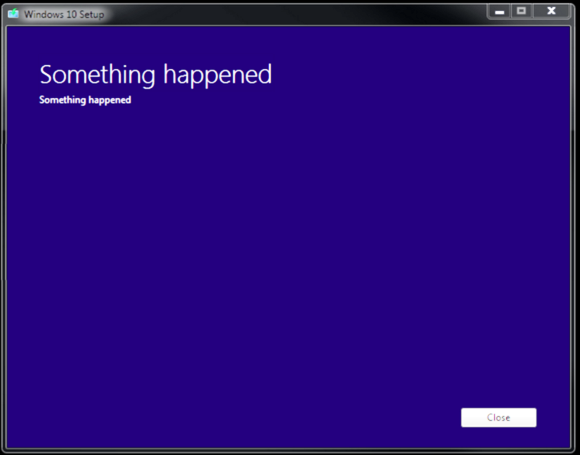
I know - that's really meaningful isn't it... ](./images/smilies/eusa_wall.gif "Brick wall")
In case this is a cry for help Steve...
Close the dialogue box
Go to control panel and select 'Clock, Language Region'
Then go to the Administrative tab
Then hit the 'change system locale' button
Then change this to English United States
Apply and restart your PC
Windows update should complete the upgrade.
Later, you can always change this back to English UK once the upgrade has completed.
In case this is a cry for help Steve...
Close the dialogue box
Go to control panel and select 'Clock, Language Region'
Then go to the Administrative tab
Then hit the 'change system locale' button
Then change this to English United States
Apply and restart your PC
Windows update should complete the upgrade.
Later, you can always change this back to English UK once the upgrade has completed.
Please note, I'm no longer active on the Forum, so won't respond to messages.
Marc
Marc